Ex-Servicemen Résumé Format and Templates

For most private-sector jobs in India, use a one-column, reverse-chronological format with standard headings. JCOs, NCOs and Other Ranks applying for technician, supervisor or stores roles usually need one page; officers and senior JCOs with long supervisory careers can use two. Government and PSU posts follow the form in each notification. The résumé builder exports one ATS-safe, one-column layout as a PDF; the samples below show other common styles and who each one suits. They are pictures for comparison, not files to download.

New to civilian résumés? Read how to write an ex-servicemen résumé and why this format passes ATS screening.

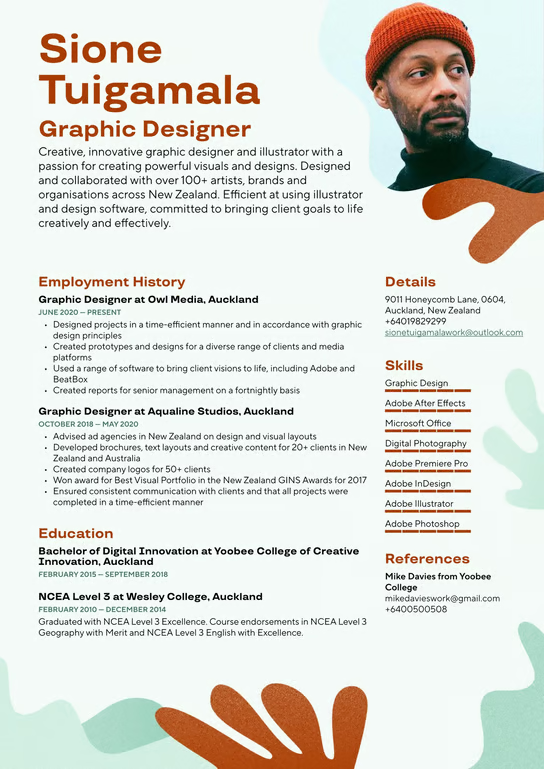
Sample two-page experienced professional résumé
  • ATS-friendly
  • Two pages
  • Reverse-chronological

Experienced professional résumé

For officers and senior JCOs with long careers

A reverse-chronological résumé that can run to two pages when a long career needs the room. Each appointment gets its own entry, with results written as numbers where you have them.

When an officer's résumé needs two pages

  • You are applying for manager, senior supervisor or operations head roles.
  • You held several appointments with different responsibilities, such as command, staff and instructional tours.
  • You can show the size of teams, equipment or budgets you were responsible for.
  • Give recent appointments the most detail; earlier service can be shorter.

The builder's one-column layout runs onto a second page when your content needs it.

Open the résumé builder
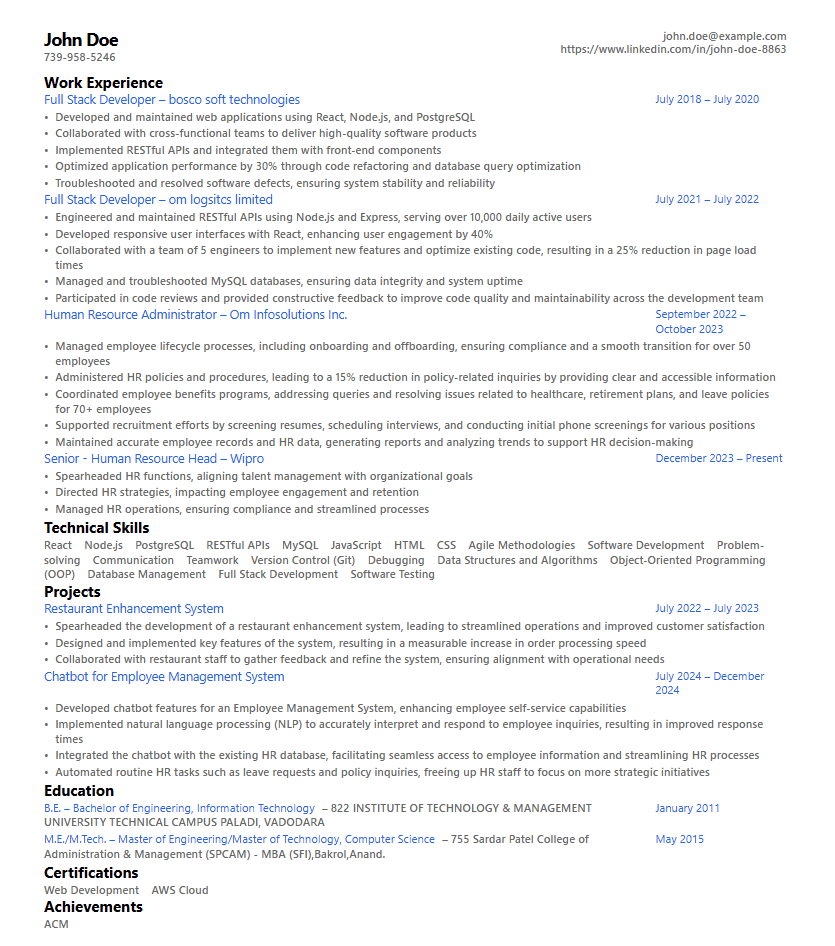
Sample one-column modern résumé
  • ATS-friendly
  • One page
  • One column

One-column modern résumé

For JCOs, NCOs and Other Ranks

The safest choice for most ex-servicemen applying for technician, supervisor, stores or security roles. One column, standard fonts, plain headings and no graphics, so applicant tracking systems (ATS) can read every line.

Why most JCOs and Other Ranks should start here

  • One page is usually enough to show your trade, the teams you supervised and your courses.
  • Standard headings (Summary, Experience, Education, Skills) are what ATS software looks for.
  • Dates sit on the right of each entry, so a recruiter can follow your service at a glance.
  • Plain fonts such as Arial or Calibri print and scan cleanly.

The résumé builder exports a one-column layout like this one.

Open the résumé builder
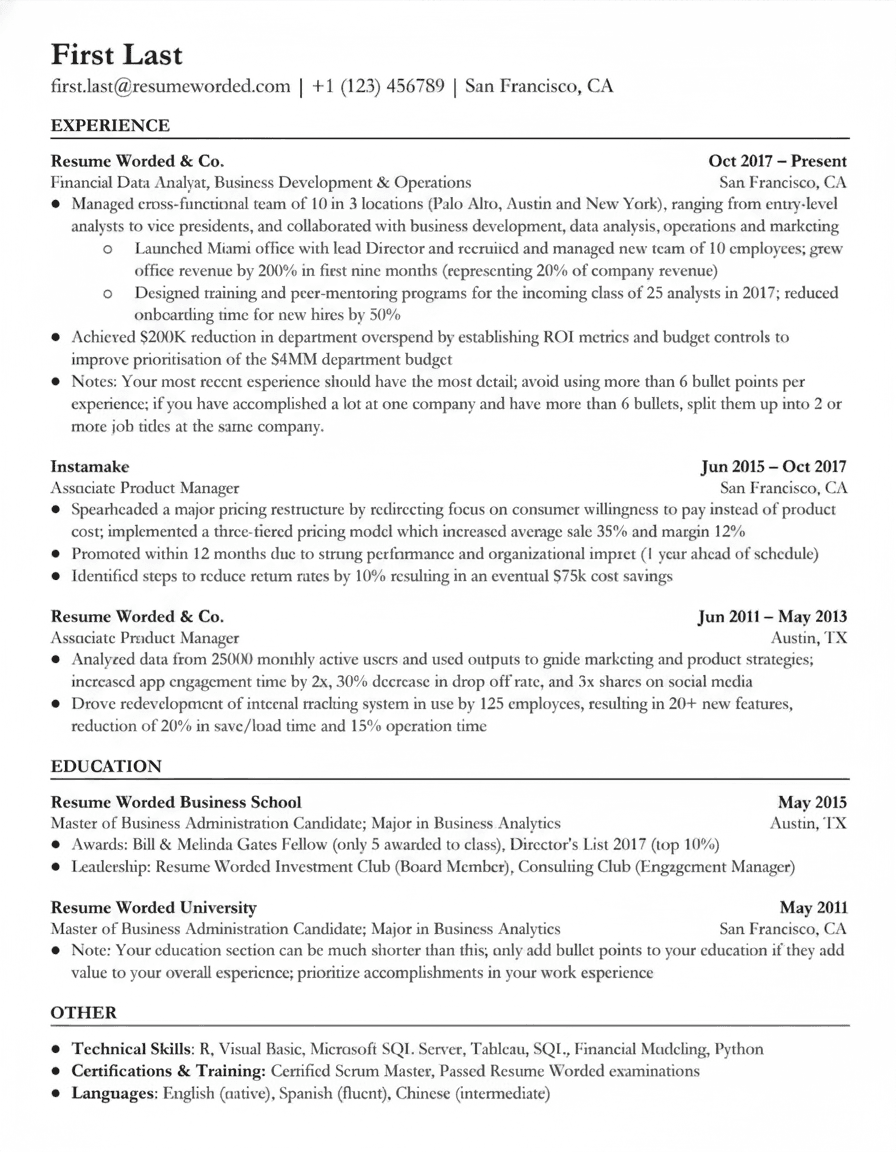
Sample education-style résumé with education listed first
  • Qualifications first
  • Formal
  • One column

Academic / education-style résumé

For training, education and advisory roles

A formal layout that puts education and qualifications near the top, followed by experience in reverse-chronological order with short bullet points. Useful for instructors and officers moving into training, teaching or advisory work.

When your qualifications should come first

  • The job asks for a degree, a teaching qualification or a trainer certification.
  • You served as an instructor at a training establishment and want that to lead.
  • You have courses or academic programmes that matter more to this employer than your appointments.

In the builder, keep Education close to the top and describe instructional appointments in Experience.

Open the résumé builder
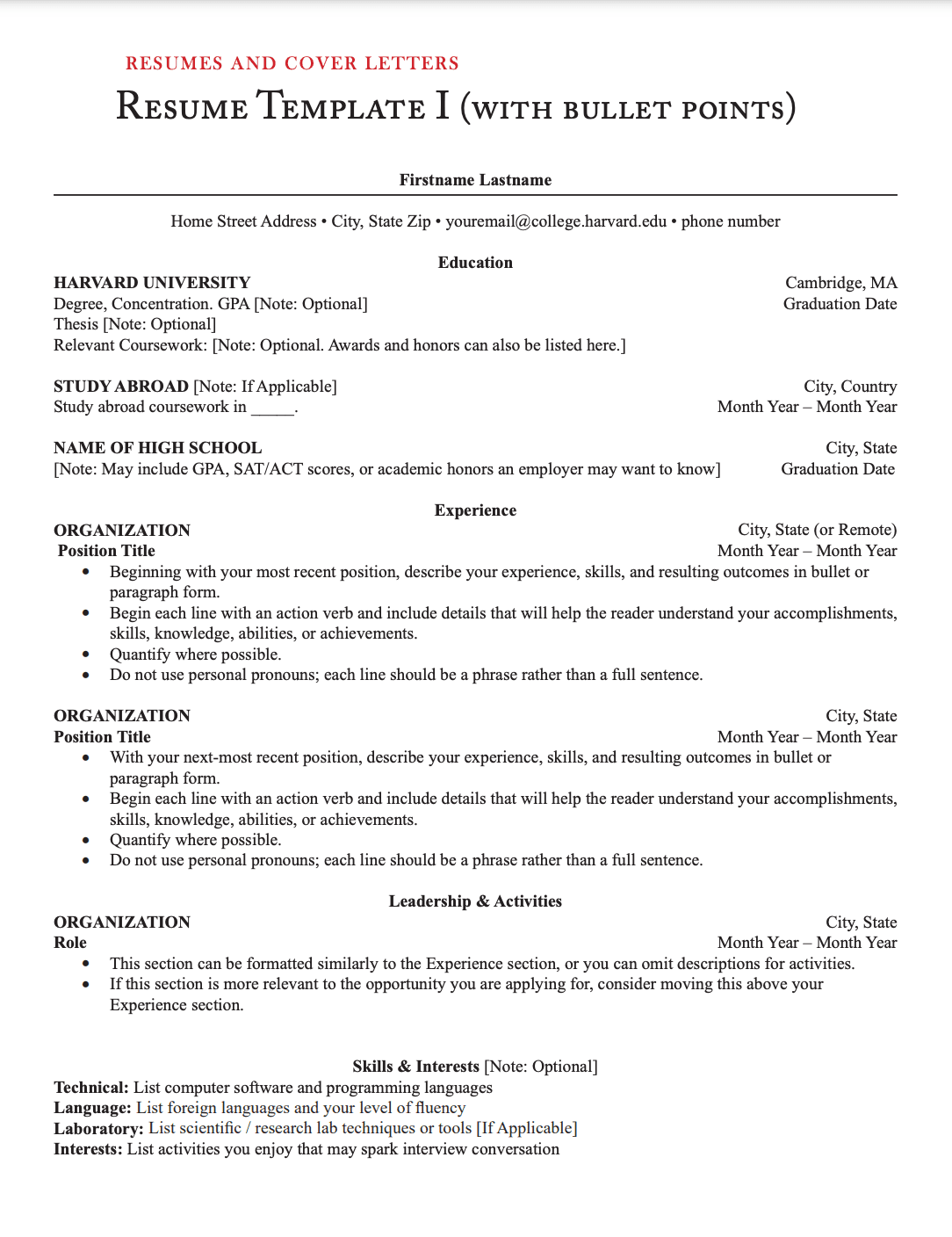
Sample creative résumé with colour accents and icons
  • Design roles only
  • Visual

Creative résumé

Only for design and marketing roles

A styled layout with colour, icons and visual elements. It is rarely the right choice for ex-servicemen. Graphics and columns can confuse ATS software, so use it only when a design or marketing employer asks to see your visual sense.

Use this only if the job is about design

  • You are applying for graphic design, content or marketing roles.
  • You have a portfolio to link to, and the résumé is part of what you are judged on.
  • Keep a one-column version ready for any application that goes through an online portal.

For portal applications, build the plain one-column version in the résumé builder.

Open the résumé builder

Order of sections on your résumé

Put the evidence an employer reads first at the top. Below your name, contact details and a short summary, a common order is:

Pro Tip

This sequence follows the reverse-chronological order principle, placing your most recent and relevant accomplishments first. You can optionally add a concise summary at the top to immediately capture attention with your unique value proposition.